Yulan

Multi-Source Search, Quick Start, Smart Analysis

An intelligent assistant supporting both local and remote AI models, with multi-source search, smart analysis, and quick start capabilities, deeply integrating advanced artificial intelligence technology with your actual work scenarios to improve work efficiency and protect data privacy.

Core Values

Multi-Source Search

Integrates knowledge base, custom replies, AI generation, calculator, web search, and file/application search. One input, multi-source results.

Quick Start

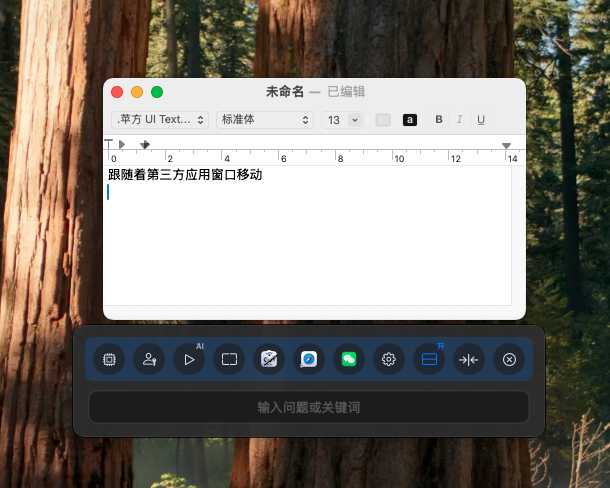
The floating window can follow application windows, can be called anytime, and supports shortcut keys for quick opening/closing.

Smart Analysis

Analyze file content based on local models, supporting PDF, images, Excel, and text formats. Data processing is local, protecting privacy.

Feature Showcase

AI Intelligent Answer Generation

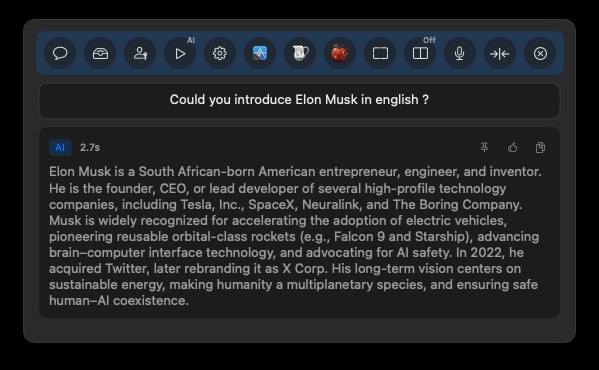
Generate answers intelligently based on context and knowledge base, supporting multi-role settings and custom styles to make AI replies more suitable for your usage scenarios.

  • Generate answers intelligently based on knowledge base content
  • Support multi-role settings (customer service, pre-sales, after-sales, PM, engineer, expert, etc.)
  • Support custom role names and reply styles
  • Can save AI replies to custom replies
  • Support pinning content as context for submission
AI Intelligent Answer Generation

Smart File Analysis

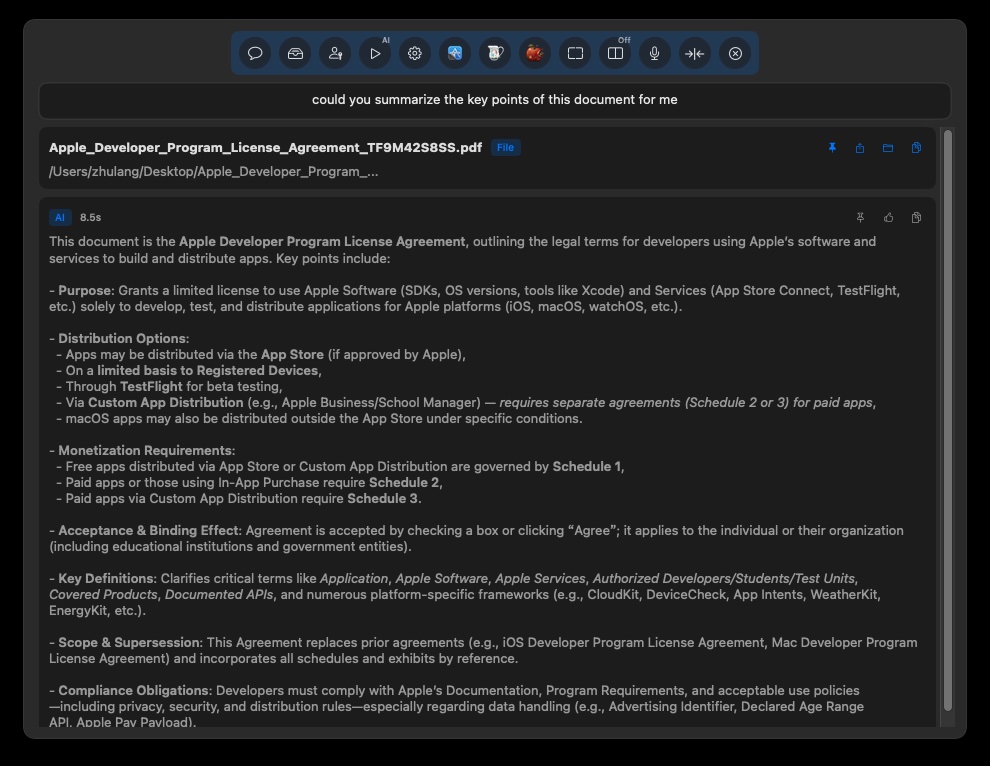
Quickly locate and intelligently analyze file content, obtaining analysis results through simple operations to improve file processing efficiency.

  • Enter the file to search in the search box, quickly select the target file with ↑ and ↓ keys
  • Press Enter key to lock the file
  • Enter your question in the input box
  • Generate intelligent analysis results
  • Support analysis of multiple file formats
Smart File Analysis

Custom Replies

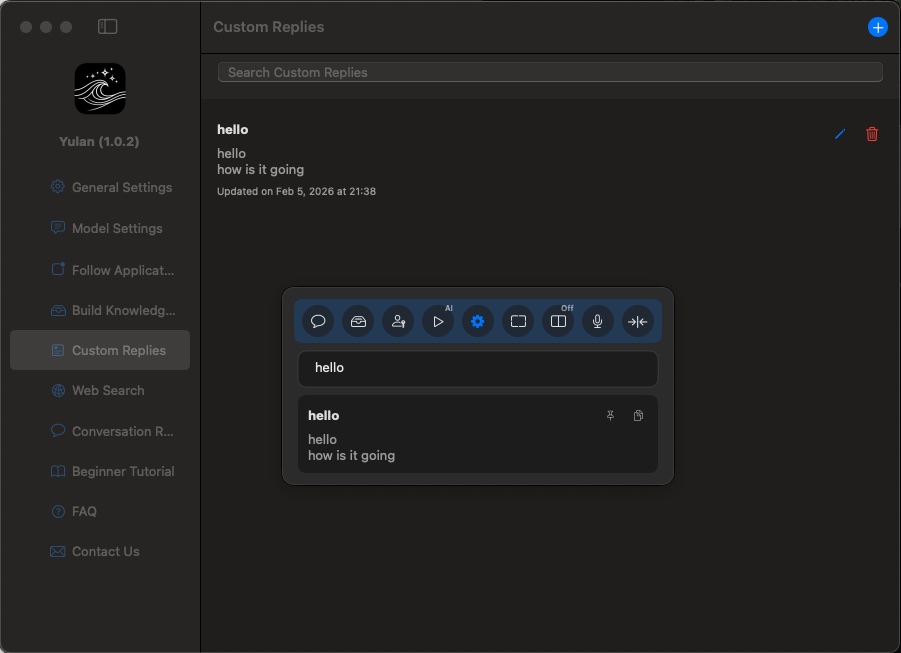
Create your commonly used reply templates, supporting text and images, especially suitable for customer service and sales scenarios that need to frequently reply to similar content.

  • Support text and image attachments
  • Fuzzy search for quick lookup
  • One-click copy to clipboard
  • Support editing and deletion operations
  • Quickly call in search results
Custom Replies

File/Folder/Application Search

Quickly locate files, folders, and applications on Mac, supporting full-text search and path search, allowing you to quickly find the content you need.

  • Quickly locate files, folders, and applications
  • Support full-text search and path search
  • Configurable search scope
  • Show file path in Finder
  • Support quick opening of files and applications
File/Folder/Application Search

Web Search

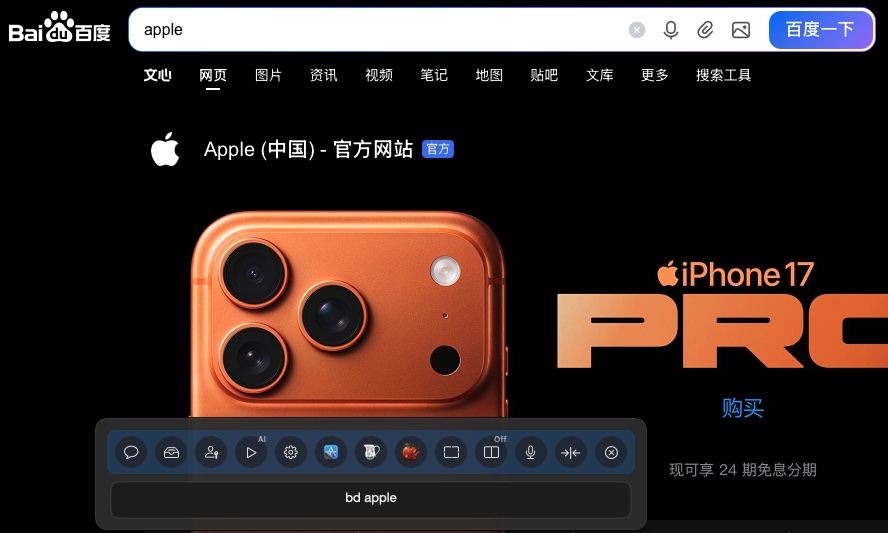
Built-in many commonly used web searches (YouTube, Google, Baidu, Taobao, JD, GitHub, etc.), you can also add custom web searches. You can quickly jump to the corresponding website through simple keywords.

  • Built-in many commonly used web searches
  • Support adding custom web searches
  • Quick jump through keywords
  • Flexible configuration of search URLs
  • One-click opening of search results
Web Search

Calculator

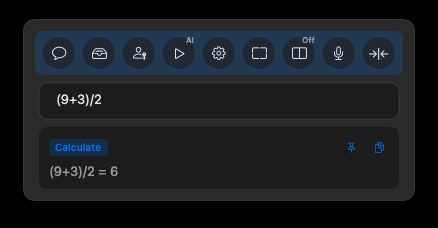
Built-in powerful calculation functions, can quickly calculate mathematical expressions, complete various calculation tasks without switching applications.

  • Quick calculation of mathematical expressions
  • No need to switch applications
  • Use directly in the search box
  • Automatically display calculation results
Calculator

Window Following

Select the applications you want Yulan to follow, the floating window will automatically follow the followed application window, always staying in the most suitable position, seamlessly integrating into your workflow.

  • Support adding any macOS application
  • Intelligent window following, automatic positioning
  • Flexible configuration of follow status
  • Support window attachment position settings (bottom/left/right)
  • Semi-transparent background does not block main content
Window Following

Local Knowledge Base

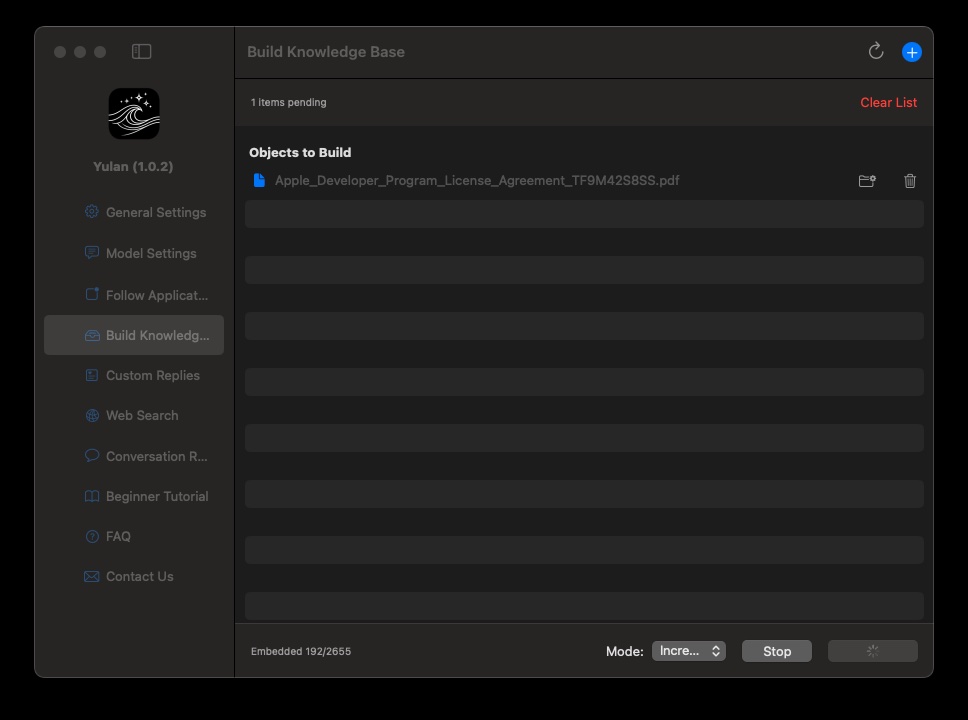
Import your documents, PDFs, spreadsheets, images, etc. into Yulan to build a proprietary local knowledge base. All data is stored completely on your Mac device, privacy protection without worry.

  • Support automatic text extraction from PDF files
  • Support text recognition from image files
  • Support Excel file content extraction
  • All data stored completely locally
  • Support incremental addition and full coverage modes
Local Knowledge Base

Quick Toolbar

The floating window has a built-in convenient toolbar that provides shortcut buttons for switching models, switching roles, AI generation, window following, screenshots, etc., allowing you to quickly complete various operations without opening settings.

  • Shortcut buttons for switching models and roles
  • AI generation one-click trigger
  • Window following and position switching
  • Quick screenshot function
  • Display icons of commonly used applications and files
Quick Toolbar